The Vibe Coding Bible
The complete guide to building software with AI.
Learn the patterns. Master
the prompts. Ship quality code.




Code like a Developer. Design like an Artist. Ship like a Founder.
The Zero to One Guide
Welcome! If you think "Terminal" is a disease or "Python" is a snake, this is for you.
Code is a Recipe. The Computer is the Chef.
You (the coder) write the recipe. The Chef follows it exactly. If you forget to say
"turn on the oven," the Chef waits forever.
The Landscape: Builders vs. Editors
There are two ways to build software with AI today. It's important to know the difference.
1. The "Builders" (Lovable, v0, Bolt)
The Analogy: Ordering Takeout 🥡
You tell them what you want ("A spicy burger"), and they hand you the finished meal instantly. It's magic.
- Pros: Insanely fast. Zero setup. Visuals first.
- Cons: Hard to "change the recipe" later. If you want to change the foundation, you're stuck.
- Verdict: Perfect for prototypes and validating ideas quickly.
2. The "Editors" (Cursor, Antigravity)
The Analogy: The Ultra-Modern Kitchen 🔪
You are still the Head Chef, but you have a robot sous-chef who chops, stirs, and cooks at 100x speed.
- Pros: Infinite control. You own the code. You can build scalable, complex, "real" software.
- Cons: You need to know what a "knife" is.
- Verdict: This book focuses here. This is how you build a career and production-grade apps.
How to Use This Guide
Difficulty Levels
| Icon | Level | Description |
|---|---|---|
| 🟢 | Beginner | Start here if you're new |
| 🟡 | Intermediate | Requires foundation knowledge |
| 🔴 | Advanced | For experienced developers |
Learning Paths
🚀 Path A: Complete Beginner
Start at Chapter 1, work through in order, do
every
exercise.
⚡ Path B: Know Some React
Skim Chapters 1-2, focus on State Management and
Performance.
🎯 Path C: Quick Reference
Jump to appendices, use Glossary for unfamiliar
terms.
Part I: Getting Started
1. The Vibe Coding Mindset
🟢 Beginner | Prerequisites: None
Vibe coding is building software by collaborating with AI—describing what you want, reviewing what it produces, and guiding it toward better solutions.
TIP: The best vibe coders aren't the best typists—they're the best communicators.

You Are the Architect, AI Is the Builder
| Aspect | Description |
|---|---|
| What | You decide WHAT to build and HOW it should work. AI handles implementation. |
| Why | AI writes fast but doesn't know your users, constraints, or standards. |
A film director doesn't operate the camera, but decides every shot. You are the director; AI is the camera operator.
The Three Laws of Vibe Coding
Law 1: Garbage In, Garbage Out
Vague prompts produce vague code. Be specific.
❌ VAGUE
"Make a button"

✅ SPECIFIC
"Make an accessible button with loading state and size variants (sm, md, lg)"
Law 2: Trust but Verify
AI confidently produces broken code. It PREDICTS,
doesn't
KNOW. Always test.
Law 3: Iterate, Don't Regenerate
When code isn't right, tell AI specifically
what's wrong. Don't start over.
1a. The ARC Method
Architect. Refine. Construct.
The most effective way to build software with AI is to use the right model for the right stage of development. I call this the ARC Method: Architect, Refine, Construct.
Draws the blueprints. Best for high-level planning, brainstorming features, and outlining the structure of your project.
Refines the blueprints. Reviewing the plan, catching logic errors, and optimizing the architecture before you build.
Constructs the house. With its massive context window, it holds the entire codebase in memory to build features that fit perfectly.
The House Building Analogy
Just as you wouldn't ask a bricklayer to design a skyscraper, you shouldn't use a coding model to plan your architecture.
- 👉 ChatGPT: Draws the blueprint.
- 👉 Claude: Refines the blueprint.
- 👉 Gemini: Constructs the house.
2. Prompt Engineering
🟢 Beginner | Prerequisites: Chapter 1
The quality of AI-generated code depends entirely on how you ask.
The 5 Parts of a Great Prompt
| Part | Question | Example |
|---|---|---|
| 1. Context | What's the situation? | Next.js 16 with TypeScript |
| 2. Task | What do you want? | Create user profile component |
| 3. Requirements | What constraints? | Accessible, typed, handles errors |
| 4. Format | How should output look? | One component per file |
| 5. Examples | What pattern to follow? | Like our Button component |
Directions: "Go to store" might work. "Take Main St north 2 miles, turn right at red barn" definitely works. Prompting is giving clear directions.
🥋 The Prompt Dojo (Try it yourself)
See the difference between a lazy prompt and a Vibe prompt.
Part II: Foundations
3. Philosophy
🟢 Beginner | Prerequisites: Chapters 1-2
These principles guide every coding decision. Internalize them to spot problems instantly.
The 7 Principles
- Clarity > Cleverness: Readable beats impressive
- Explicit > Implicit: Obvious beats magical
- Composition > Inheritance: Small pieces beat hierarchies
- Colocation: Related code stays together
- Deletion > Abstraction: Simple beats flexible
- Performance by Default: Fast is a feature
- Accessibility Always: Build for everyone
1. CLARITY over cleverness
Recipes: "Chop onions finely" beats "Apply blade to allium at decreasing intervals." Clear code is like a clear recipe.
// ❌ CLEVER BUT CONFUSING
const r = a?.b?.c ?? d?.e ?? "default"

// ✅ CLEAR AND READABLE
const userCity = user?.address?.city
const defaultCity = settings?.defaultCity
const city = userCity ?? defaultCity ?? "Unknown"
4. Architecture
🟢 Beginner | Prerequisites: Chapter 3

Next.js App Structure
A well-organized kitchen: utensils near stove, plates near dishwasher. If you can't find a file in 5 seconds, your kitchen is messy.
src/
├── app/                    # Routes (pages)
│   ├── page.tsx            # Home page (/)
│   ├── about/
│   │   └── page.tsx        # About page (/about)
│   ├── dashboard/
│   │   ├── page.tsx        # Dashboard page
│   │   └── layout.tsx      # Dashboard layout
│   └── layout.tsx          # Root layout
├── components/
│   ├── ui/                 # Primitives (Button, Input, Card)
│   └── features/           # Feature components (UserCard, ProductList)
├── hooks/                  # Custom React hooks
├── lib/                    # Utilities and helpers
│   ├── api/                # API client functions
│   └── utils/              # Helper functions
└── types/                  # TypeScript type definitions
5. TypeScript
🟡 Intermediate | Prerequisites: Basic JavaScript, Chapter 4
TypeScript catches bugs before runtime. Enables autocomplete. Serves as documentation.
Spell-check for code: It won't write your essay for you, but it catches "teh" before you submit. It prevents silly mistakes.
Discriminated Unions
Hospital wristband: The color (discriminant) tells staff exactly what care protocol applies. TypeScript knows the shape based on the 'status'.
type AsyncState<T> =
  | { status: "idle" }
  | { status: "loading" }
  | { status: "success"; data: T }
  | { status: "error"; error: Error }

function handleState(state: AsyncState<User>) {
  if (state.status === "success") {
    console.log(state.data.name)  // ✅ TypeScript knows data exists!
  }
}
6. Naming Conventions
🟢 Beginner | Prerequisites: Chapters 3-4
Road signs: A hexagon means STOP. The shape alone tells you everything. Consistent naming reduces cognitive load.
| Convention | Use For | Examples |
|---|---|---|
| PascalCase | Components, Types | UserProfile, ButtonProps |
| camelCase | Variables, functions | userName, useAuth |
| kebab-case | Files, folders | user-profile/, api-client.ts |
| SCREAMING_SNAKE | Constants | API_URL |
7. React Components
🟡 Intermediate | Prerequisites: Basic React, Chapter 5
LEGO bricks: Each brick has a specific shape and purpose. You combine simple bricks to build complex castles. Change one brick, update it everywhere.
Component Structure Order
1️⃣ TYPES          interface Props { ... }
2️⃣ COMPONENT      export function Name({ props }) {
3️⃣ HOOKS          const [state] = useState()
4️⃣ DERIVED        const fullName = first + last
5️⃣ HANDLERS       const handleClick = () => { }
6️⃣ EARLY RETURNS  if (loading) return <Skeleton />
7️⃣ RETURN         return ( <div>...</div> )
Part III: Intermediate
8. State Management
🟡 Intermediate | Prerequisites: Chapter 7
Restaurant order pad: Tracks orders, updates when customers change their mind, and determines what the kitchen cooks. Without state, the app is just a static menu.
State Hierarchy
| Priority | Type | Use Case | Tool |
|---|---|---|---|
| 1 | URL State | Shareable | searchParams |
| 2 | Server State | API Data | TanStack Query |
| 3 | Form State | User Input | React Hook Form |
| 4 | Local UI | Component only | useState |
| 5 | Global UI | Many components | Zustand |
9. Styling
🟢 Beginner | Prerequisites: Basic CSS, Chapter 7
We use Tailwind CSS for utility-first styling.
Paint-by-numbers: Instead of mixing your own colors (writing custom CSS), you pick from a curated palette of pre-defined classes. Fast and consistent.
Class Order Convention
Layout → Sizing → Spacing → Typography → Colors → Borders → Effects → States
// ✅ ORGANIZED - follows order
className="flex p-4 text-white font-medium bg-blue-600 rounded-lg hover:bg-blue-700"
10. Performance
🟡 Intermediate | Prerequisites: Chapter 8
1-second delay = 7% fewer conversions.
The Buffet: Code splitting is like a buffet—let users take only what they want (load chunks on demand), rather than forcing them to eat everything on the menu at once.
Code Splitting
import { lazy, Suspense } from "react"

const Dashboard = lazy(() => import("./pages/Dashboard"))

function App() {
  return (
    <Suspense fallback={<LoadingSkeleton />}>
      <Dashboard />
    </Suspense>
  )
}
Part IV: Advanced
11. Accessibility
🟡 Intermediate | Prerequisites: Chapter 7
Building ramps: Ramps help wheelchairs, but they also help parents with strollers and delivery carts. Accessible code improves the experience for everyone (including SEO robots).
The #1 Rule: Use Semantic HTML
// ❌ NEVER - not accessible
<div onClick={handleClick}>Click me</div>

// ✅ ALWAYS - accessible by default
<button onClick={handleClick} type="button">Click me</button>
12. Error Handling
🟡 Intermediate | Prerequisites: Chapters 5, 8
Trapeze Safety Net: The show goes on even when someone slips. Good error handling catches the fall so the application doesn't crash completely.
Every async operation has THREE states. Handle ALL of them: Loading, Error, Success.
13. Security
🔴 Advanced | Prerequisites: Chapters 5, 8, 12
Locking doors: Most people won't break into your house, but the cost of leaving the door unlocked is too high. Don't leave tokens in localStorage (the front porch).
The #1 Rule: Never Store Tokens in localStorage
// ❌ NEVER - JavaScript can access, XSS can steal
localStorage.setItem("token", authToken)

// ✅ ALWAYS - JavaScript cannot access
cookies().set("session", authToken, {
  httpOnly: true,      // JS can't read this cookie
  secure: true,        // HTTPS only
  sameSite: "lax",     // CSRF protection
})
13a. SEO & AEO Best Practices
🟡 Intermediate | Prerequisites: Chapter 4
In the age of AI search engines (Perplexity, ChatGPT, Google's SGE), optimizing for both traditional SEO and Answer Engine Optimization (AEO) is critical.
SEO is like a library catalog—it helps people find your book. AEO is like a librarian—it reads your book and answers questions directly. You need both.
1. Semantic HTML Structure
Use proper HTML5 semantic elements. Search engines and AI crawlers understand structure.
// ❌ BAD - Div soup
<div class="header">...</div>
<div class="content">...</div>

// ✅ GOOD - Semantic HTML
<header>...</header>
<main>
  <article>
    <section>...</section>
  </article>
</main>
<footer>...</footer>
2. Heading Hierarchy (H1 → H6)
One H1 per page. Use headings in order (don't skip H2 to H4). This creates a clear content outline.
// ✅ CORRECT STRUCTURE
<h1>Main Title</h1>
  <h2>Section</h2>
    <h3>Subsection</h3>
      <h4>Sub-subsection</h4>
3. Meta Tags (The Foundation)
| Tag | Purpose | Example |
|---|---|---|
<title> |
Page title (50-60 chars) | "The Vibe Coding Bible | AI Guide" |
meta description |
Search snippet (150-160 chars) | "Complete guide to building software with AI..." |
meta keywords |
Relevant terms (comma-separated) | "AI coding, Cursor AI, Vibe Coding" |
og:image |
Social sharing image (1200x630px) | hero_vibe_bible.png |
canonical |
Prevent duplicate content | <link rel="canonical" href="..."> |
4. Structured Data (Schema.org)
JSON-LD structured data helps AI engines understand your content. Use it for:
- Book/Course: Educational content
- FAQPage: Common questions (critical for AEO)
- HowTo: Step-by-step guides
- BreadcrumbList: Navigation structure
// Example: FAQPage Schema (Perfect for AEO)
<script type="application/ld+json">
{
  "@context": "https://schema.org",
  "@type": "FAQPage",
  "mainEntity": [{
    "@type": "Question",
    "name": "What is Vibe Coding?",
    "acceptedAnswer": {
      "@type": "Answer",
      "text": "Vibe coding is building software..."
    }
  }]
}
</script>
5. AEO-Specific Optimizations
Traditional SEO optimizes for keywords. AEO optimizes for questions and answers. AI engines want to extract direct answers from your content.
Best Practices for AEO:
- Answer Questions Directly: Start paragraphs with direct answers. "Vibe Coding is..." not "In this section, we'll explore..."
- Use Q&A Format: Include FAQ sections with clear questions and concise answers.
- Define Terms Early: Define key concepts in the first paragraph.
- Use Lists and Tables: AI engines extract structured data easily from lists.
- Include Context: Explain "why" not just "what". AI engines value comprehensive explanations.
6. Image Optimization
| Requirement | Why | Implementation |
|---|---|---|
| Descriptive alt text | Accessibility + Image search | alt="Vibe Coding Bible Book Cover" |
| Proper file names | SEO signal | hero-vibe-bible.png not IMG_1234.png |
| Optimized file size | Page speed (ranking factor) | Use WebP, compress images |
| Width/Height attributes | Prevent layout shift | width="1200" height="630" |
7. Performance = SEO
Google and AI engines prioritize fast-loading sites. Core Web Vitals matter:
- LCP (Largest Contentful Paint): < 2.5s
- FID (First Input Delay): < 100ms
- CLS (Cumulative Layout Shift): < 0.1
// Optimize images
<img
  src="hero.png"
  alt="Description"
  loading="lazy"           // Lazy load below fold
  width="1200"
  height="630"
  decoding="async"          // Non-blocking decode
/>

// Preconnect to external domains
<link rel="preconnect" href="https://fonts.googleapis.com">
8. Mobile-First & Responsive
Mobile-first indexing is standard. Ensure your site works perfectly on mobile devices.
<meta name="viewport" content="width=device-width, initial-scale=1.0">

// Test with Chrome DevTools Mobile Emulation
// Ensure touch targets are at least 44x44px
9. Content Quality (The #1 Ranking Factor)
No amount of technical SEO beats great content. Write for humans first, optimize for engines second. If your content answers questions comprehensively, both Google and AI engines will rank it.
Content Checklist:
- ✅ Comprehensive (1000+ words for main pages)
- ✅ Original (not copied from elsewhere)
- ✅ Updated regularly (freshness signal)
- ✅ Well-structured (headings, lists, tables)
- ✅ Answers user intent (not just keywords)
10. Internal Linking
Link related content together. This helps both users and crawlers understand your site structure.
// ✅ GOOD - Contextual internal links
<p>Learn more about <a href="#prompt-engineering">Prompt Engineering</a>.</p>

// ❌ BAD - Keyword stuffing
<p>Click here for <a href="#prompt-engineering">prompt engineering prompt engineering</a>.</p>
11. robots.txt & Sitemap
Create a robots.txt file to guide crawlers:
# robots.txt
User-agent: *
Allow: /

Sitemap: https://vibecodingbible.com/sitemap.xml
Generate and submit a sitemap.xml to Google Search Console and Bing Webmaster Tools.
12. The AEO Checklist
| Check | Status |
|---|---|
| FAQPage schema implemented | ✅ |
| Questions answered in first paragraph | ✅ |
| Definitions provided early | ✅ |
| Structured data (JSON-LD) present | ✅ |
| Content is comprehensive (1000+ words) | ✅ |
| Lists and tables used for clarity | ✅ |
| Internal linking structure clear | ✅ |
| Mobile-responsive design | ✅ |
| Page speed optimized (<3s load) | ✅ |
| Alt text on all images | ✅ |
PRO TIP: Test your AEO optimization by asking Perplexity or ChatGPT: "What is [your topic]?" If your content appears in the answer, you're doing it right.
Part V: Case Studies
14. Task Manager
🟢 Beginner | Prerequisites: Chapters 1-7
Build a complete task manager while learning to direct AI effectively.
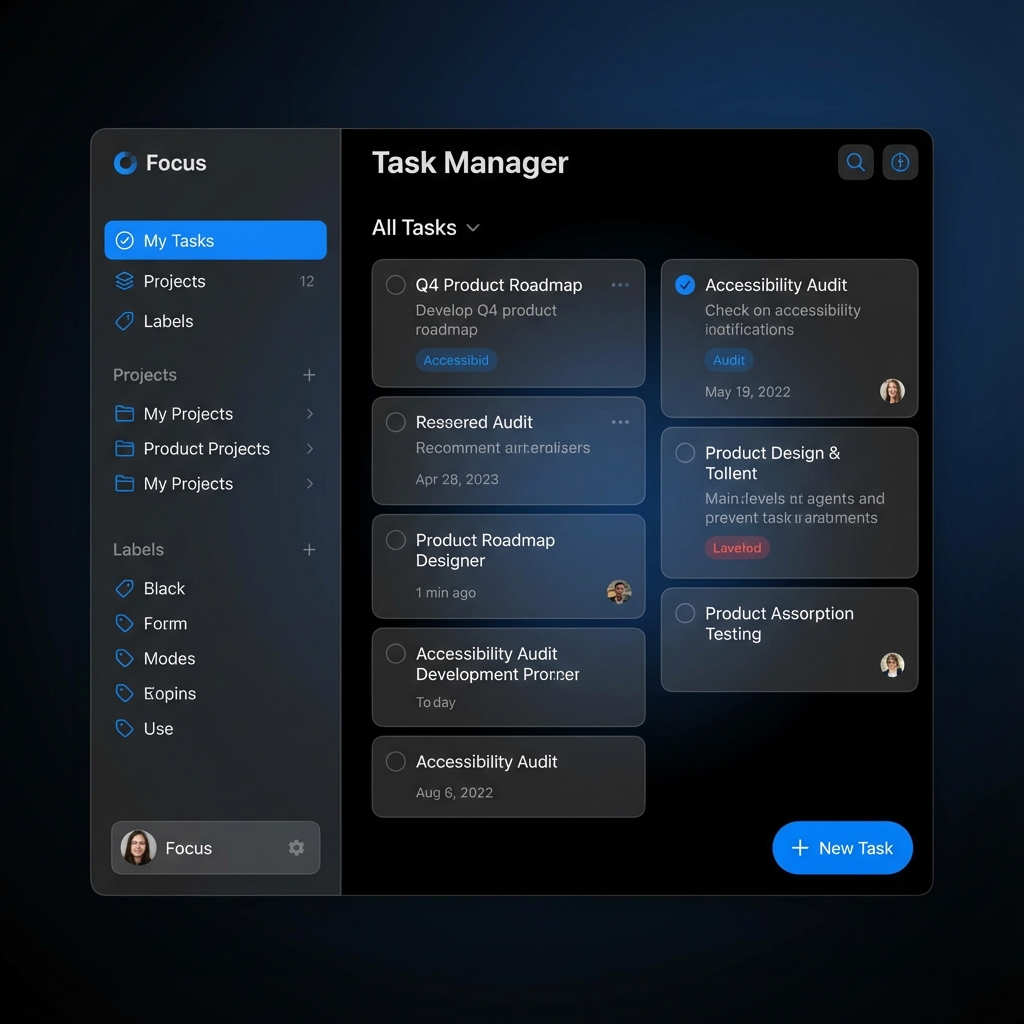
Before a chef cooks (codes), they organize ingredients (data) and tools (components). We don't just "start coding." We prep.
Step 1: The Blueprint (Data)
First, we define what a "Task" actually is. Don't guess; tell AI.
"I want to build a Task Manager.
First, generate a TypeScript interface for a 'Task'.
It should have: id, title, isCompleted, createdAt, and priority (low, medium, high)."
Step 2: The Components (Tools)
Next, we build the visual pieces. Remember the LEGO analogy.
"Create a 'TaskItem' component.
Props: taking a single 'Task' object and 'onToggle' function.
Style: Use Tailwind. If priority is high, give it a red border.
Accessibility: Ensure the checkbox has an aria-label."
Step 3: The Logic (Cooking)
Now we bring it to life. This is where state lives.
The 'App' component is the Brain (holds the list). The 'TaskItem' is the Hand (displays one task). The Hand tells the Brain "I was clicked," and the Brain updates the list.
"Create the main 'TaskList' component.
1. Use 'useState' to hold the array of Tasks.
2. Create a function 'toggleTask(id)' that finds the task and flips its 'isCompleted' status.
3. specific requirement: Don't mutate state directly; use .map()."
Step 4: Refinement
Finally, we polish. Ask AI to "Add a filter for Active/Completed tasks" only AFTER the basic list works.
15. Weather Dashboard
🟡 Intermediate | Prerequisites: Chapters 1-8
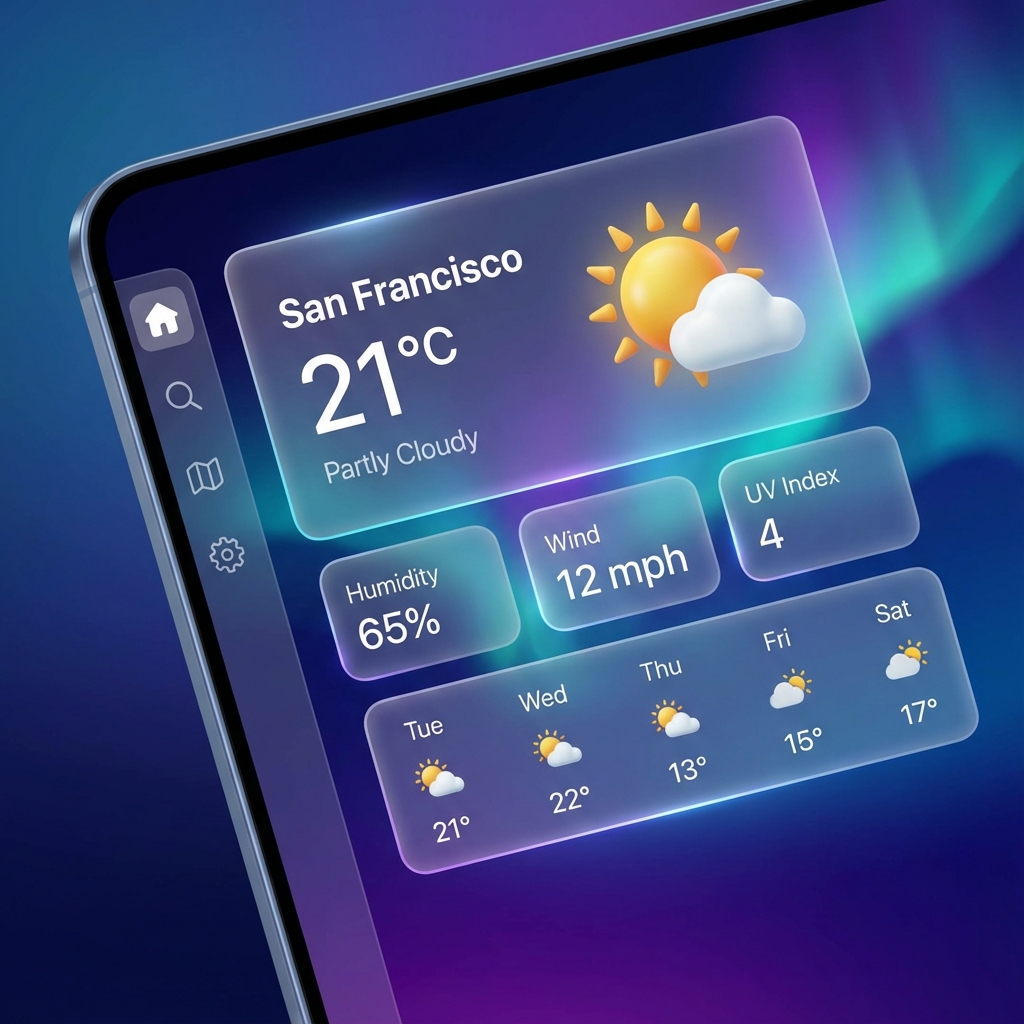
Your browser is the user. The API is a hotel in Tokyo. You can't just shout at Tokyo. You need a Travel Agent (The Fetch Function) to go get the info and bring it back safely.
Step 1: The Contract (Types)
Before flying, we agree on what to bring back. If we expect "temp" but get "temperature", the app crashes.
It checks the luggage (data) on arrival. If it's suspicious (wrong type), it rejects it immediately.
"Create a Zod schema for the Weather API response.
It should confirm that we are receiving a 'main' object with a 'temp' number, and a 'weather' array with a description string."
Step 2: The Service (Travel Agent)
Now write the function that actually travels.
"Write a function 'getWeather(city)' that fetches from the API.
1. Use the Zod schema from Step 1 to parse the response.
2. If the response is 404 (City Not Found), return null.
3. If the network fails, throw a specific 'NetworkError'."
Step 3: The View (Display)
Create the dashboard UI assuming you *already have* the data.
"Create a 'WeatherCard' component.
Props: taking a parsed 'WeatherData' object.
State: None (Pure component).
Display: Temperature in large text, description in capitalized text."
Step 4: Integration
Copy that into Cursor and watch the magic.
Next Step: Once you are ready for real components, use the Component Template in the Vibe Library.
"Create the main Page.
1. Add a Search Input.
2. When the form submits, call 'getWeather'.
3. While waiting, show a 'SkeletonLoader' (Optimistic UI).
4. If 'getWeather' throws, show a red Error Banner."
16. E-commerce Page
🔴 Advanced | Prerequisites: All previous chapters
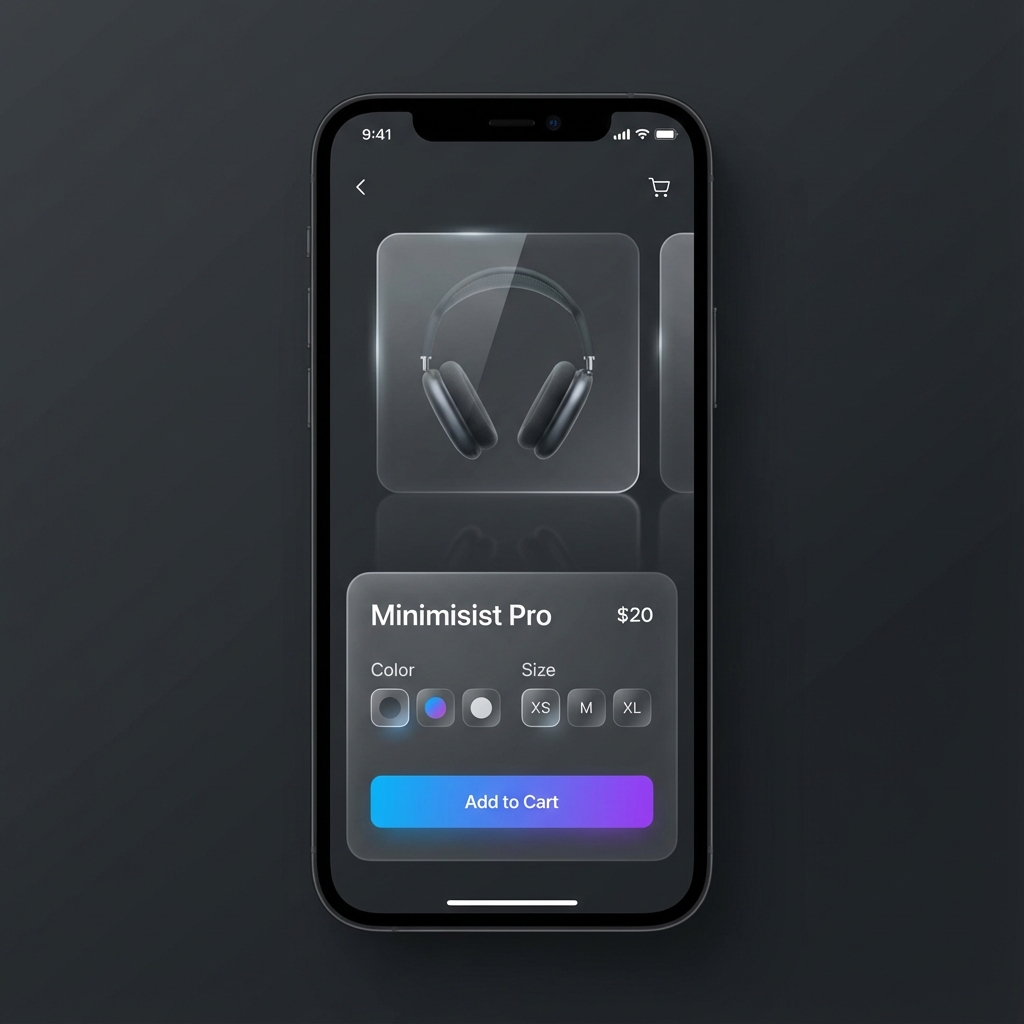
A "T-Shirt" isn't a product. "Red T-Shirt Size M" is the product. Handling these combinations is the hardest part of e-commerce.
Step 1: The Product Model
We need a data structure that allows for "Product" (the parent) and "Variants" (the children).
"Create 3 interfaces:
1. Product (id, title, basePrice)
2. Variant (color, size, sku, stockLevel)
3. CartItem (product + selected variant + quantity)"
Step 2: The Global Cart (Context)
The Cart is like a physical shopping cart that follows you around the store.
Even if you leave the page, the cart should remember. We use `localStorage` to keep the ghost alive.
"Create a 'CartProvider' using Zustand.
1. persist: Save to localStorage automatically.
2. actions: addItem, removeItem, updateQuantity.
3. logic: If adding same SKU, increment quantity, do not duplicate item."
Step 3: The Product Page Strategy
Now build the page where the decision happens.
"Create a 'ProductConfigurator' component.
Props: product and all variants.
1. User selects Color -> Filter available sizes.
2. User selects Size -> Calculate final price and stock status.
3. If variant is OOS -> Disable 'Add to Cart'."
Step 4: Performance Guardrails
E-commerce is heavy on images. Slow images = lost sales.
"Optimize the product page:
1. Use next/image with 'priority' on the main hero image.
2. Use 'sizes' prop to serve smaller images on mobile.
3. Memoize the variant calculation function so it doesn't run on every render."
Vibe Coding for Designers
You are no longer just "Drawing Rectangles." You are the Architect of the Code.
Figma is the Promise. Code is the Delivery.
Traditionally, you promised a beautiful UI, and developers delivered a broken one. Vibe
Coding gives you the truck. YOU deliver the UI.
1. Setting up Your Magic Wand (Cursor / Antigravity)
Turn your design intuition into code reality with the right tools.
Step 1: The Setup
Download Cursor (or use Antigravity). It looks like VS Code but has an AI brain built-in.
- Install: Download from cursor.com
- Extensions: Install "ES7 React/Redux/GraphQL" and "Tailwind CSS IntelliSense".
- Privacy: Turn on "Privacy Mode" if working on NDA projects.
Step 2: The 3 Best Practices
Don't just say "Fix this." Open the relevant file (cmd+p) so the AI sees what you see. The AI triggers off what is open.
Don't try to write the loop. Describe the outcome: "Make a grid of cards that wraps on mobile." Use your designer vocabulary.
If the button is wrong, don't delete it. Type: "Make the padding bigger." Treat the AI like a junior designer sitting next to you.
2. Setting up the Figma Bridge (MCP)
Don't just look at Figma. Let the AI *read* it. Connect your design directly to code.
| Tool | Setup Instructions |
|---|---|
| Cursor |
|
| Antigravity |
Native Support: Antigravity has first-class support for Figma MCP. Just ensure your environment has the server enabled. No manual
|
3. The Foundation: Design Systems
The AI needs a dictionary to understand your constraints. Don't let it guess colors.
Figma Variables → Tailwind Config
"Here is my Design System config. Use ONLY these values:
- Primary Color: #0071e3 (Apple Blue)
- Surface Color: rgba(28, 28, 30, 0.65) (Glass)
- Spacing: 4px base unit (p-1 = 4px, p-4 = 16px)
- Radius: 12px for cards, 99px for buttons"
4. Translating "Auto Layout" to Code
Your "Auto Layout" settings map 1:1 to CSS Flexbox. Speak the language.
| Figma Setting | CSS / Tailwind Logic | The Prompt |
|---|---|---|
| ➡️ Direction: Horizontal | flex-row | "Align items in a row." |
| ↕️ Direction: Vertical | flex-col | "Stack items vertically." |
| ⏹️ Gap: 16px | gap-4 | "Add 16px gap between items." |
| ↔️ Hug Contents | w-fit | "Width should fit the content." |
| 🛑 Fill Container | flex-1 / w-full | "Take up all remaining space." |
Think of <div>s as Frame Layers. Just like you group layers in Figma
to handle layout, you group elements in code.
5. Motion & Interaction (The Vibe)
Don't just say "animate it." Give the developer the physics.
The "Apple" Glide
cubic-bezier(0.25, 0.1, 0.25, 1)
The "Spring" Pop
type: spring, bounce: 0.5
The "Glass" Fade
backdrop-filter + opacity
The "Punch" Click
scale(0.95) active
*Interact with these cards to feel the difference.
Describing the Physics:
Static comps don't show the vibe. You must describe the feel.
"Add a hover effect to the cards.
1. Scale up slightly (1.02)
2. Add a soft glow (shadow-lg)
3. TIMING: Use a 'spring' physics feel, not linear. Duration ~300ms.
4. CSS: transition-all duration-300 ease-out"
6. Real World Workflow (Example)
Stop manually copying CSS. Use the Figma MCP Server as described in step 2 to let Cursor read your file.
- Step 1: Select the Frame in Figma. Copy the Link.
- Step 2: Go to Cursor. Type
@figmaand paste the link. - Step 3: Prompt: "Implement this card exactly. Use my Tailwind config. Pay attention to the Gradient Boarder."
7. Troubleshooting Visual Bugs
When the AI gets it wrong (it will), don't say "It looks bad." Be specific.
❌ Bad Feedback: "The button is wrong."
✅ Vibe Feedback: "The padding on the button is too tight. Increase horizontal padding to 24px (px-6) and ensure it's vertically centered."
Part VI: Shipping Your Vibe
17. The Captain's Tools (Before You Ship)
🟢 Beginner | Prerequisites: None
To ship software, you need to leave the safety of the text editor and enter the engine room.
1. The Terminal (The Command Line)
Using a mouse is like pointing at a menu in a restaurant. It's easy, but limited to what's on
the page.
The Terminal is like texting the Chef directly. You can order things that
aren't on the menu, faster and with more precision.
Common commands you'll use:
cd(Change Directory) = "Walk into this room."ls(List) = "Look around. What's in here?"npm install= "Go shopping for ingredients."
2. NPM (Node Package Manager)
You don't grow your own wheat to make a sandwich. You buy bread.
NPM is the grocery store for code. Instead of writing a Date Picker from
scratch (growing wheat), you `npm install` one (buy bread). package.json is
your shopping list.
3. The Build Process
Your code is like your messy bedroom—clothes everywhere (comments, huge files, messy
formatting).
"Building" is folding everything perfectly into a small suitcase. The
computer removes spaces, shrinks images, and organizes files so they fly across the internet
instantly.
18. The Vault (Git & GitHub)
🟢 Beginner | Prerequisites: None
Before you ship, you must save. But "Cmd+S" isn't enough. You need insurance.
1. Git (The Time Machine) 🕰️
Imagine fighting a boss without saving. If you die, you restart the game.
Git creates "Save Points" (Commits). Before you try a crazy new feature
(The Boss), you commit. If you break the app, you just reload the save.
2. GitHub (The Cloud Beacon) ☁️
Git is the Camera (It takes the snapshot of your code on your
phone/laptop).
GitHub is Instagram (It's where you upload the photo for the world to
see/backup).
If your laptop burns down, your code lives forever on GitHub.
The Workflow:
1. git add .        (Stage the photo)
2. git commit -m "My Save" (Take the photo)
3. git push         (Upload to Instagram/GitHub)
19. Deployment (Opening Night)
🟢 Beginner | Prerequisites: A working app on localhost
Until you ship, you haven't built software. You've built a diary entry. It's time to show the world.
Localhost is Rehearsal. Deployment is Opening Night.
On localhost, you can stop, restart, and mess up. In production, the audience is watching.
The stage limits (server) might be different from your rehearsal room (laptop).
The Magic Button: Vercel / Netlify
In the Vibe Coding era, we don't buy servers. We push code.
The Golden Workflow:
1. Push your code to GitHub.
2. Connect complete repo to Vercel.
3. Vercel detects Next.js/Vite automatically.
4. Click "Deploy".
5. Receive a live URL (app.vercel.app).
⚠️ The #1 Trap: Environment Variables
If your app works locally but breaks online, it's 99% likely this.
Your .env file (API keys) sits on your laptop. It does NOT go to GitHub (security). You
must manually give these keys to Vercel in their "Settings > Environment Variables" menu.
The "It Works on My Machine" Checklist
| Item | Check |
|---|---|
| Build | Run npm run build locally. If it fails here, it fails there. |
| Keys | Are all API keys added to Vercel/Netlify Dashboard? |
| Logs | Check the "Build Logs" tab if it fails. The error is usually in red. |
The Final Polish: Custom Domains 🌐
An unwieldy URL like my-app-v82.vercel.app screams "student project." Here is how you
turn pro.
The Domain Workflow:
1. Buy domain (Namecheap/GoDaddy).
2. Go to Vercel Dashboard > Project Settings > Domains.
3. Type "vibecodingbible.com" and click Add.
4. Vercel gives you numbers (A Record: 76.76.21.21).
5. Go to your Domain Registrar -> DNS Settings -> Add A Record.
6. Wait 5 minutes (DNS Propagation).
7. 🎉 You are live.
Appendices
The Vibe Library (Templates)
Don't type from scratch. Copy these into Cursor as your starting point.
These prompts are "Golden" because they force the AI to handle errors, loading states, and types before it writes a single line of logic.
1. The "New Component" Prompt
Use this when creating any new UI element.
"Create a functional React component named [ComponentName].
Specs:
- Use Tailwind for styling (mobile-first).
- Props: [prop1, prop2, optional className].
- State: Handle [loading/error/success] states if applicable.
- Accessibility: Ensure semantic HTML and aria-labels.
- Structure:
  1. Define Interfaces
  2. Define Component
  3. Return JSX
  4. Export Default"
2. The "Data Fetcher" Hook
Use this for connecting to APIs. Never use raw fetch in components.
"Create a custom hook named use[Feature]Data.
Requirements:
1. Use 'swr' or 'react-query' pattern (simulated if needed).
2. Return { data, isLoading, error, mutate }.
3. Handle 404 and 500 errors explicitly.
4. Type the response data strictly with TypeScript interfaces."
3. The "Panic Button" (Bug Fixer)
When everything breaks, paste this.
"I am getting this error: [Paste Error].
Context:
- It happens when I [Action].
- I suspect it's related to [Guess].
Task:
1. Explain WHY it is happening (briefly).
2. Propose a fix that checks for null/undefined values.
3. Show me the purely corrected code block."
The "What If I Break It?" Zone
In video games, you save before a boss fight. In coding, you `git commit`. If things explode, you just revert. You cannot destroy the computer.
The Vibe Dictionary (No Jargon)
Developers love fancy words for simple things. Here is the translation.
| The Word | The Vibe (Analogy) | Plain English |
|---|---|---|
| Component | Lego Brick | A reusable UI piece (Button, Card). |
| Props | Settings / Inputs | Options you pass to a component (Color, Text). |
| State | Short-term Memory | Data that changes while using the app (Form input, Toggle is on/off). |
| API | The Waiter | The messenger that takes your order (request) to the kitchen (server) and brings food (data) back. |
| Deploy | Go Live | Putting your website on the internet so others can see it. |
| Terminal | Control Room | Where you type commands to tell the computer what to do directly. |
| Git | Save Game | A time machine. It saves versions of your code so you can undo mistakes. |
| Repo | Project Folder | Short for "Repository". It's just the folder where your code lives. |
The Vibe Builder (.cursorrules)
Don't settle for generic responses. Customize your AI's brain before you start.
💡 How to use these rules
- Create a file named
.cursorrulesin your project's root directory. - Copy the text above and paste it into the file.
- Restart your AI editor (Cursor, Windsurf, etc.) to apply the new "brain".